
Hexpad
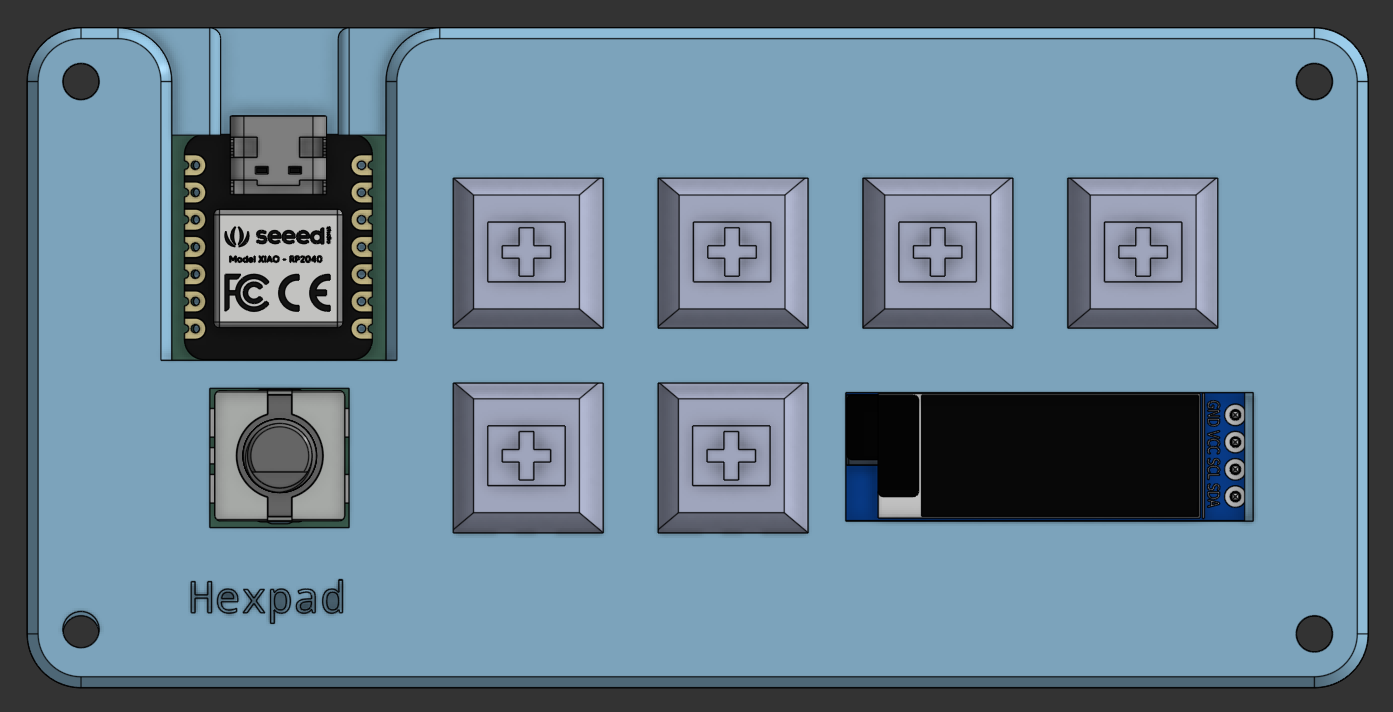
A small macropad with 6 switches, 6 neopixels
1 rotary encoder and 1 OLED display all encased
in a 3D printed case
Project Overview
In this project I was taking part in the Highway (Hack Club) event where I built a custom macropad 6-key macropad. I used KiCad for the custom PCB and Python to write the KMK firmware. The macropad includes 6 Cherry MX switches, 6 neopixels, 1 rotary encoder for a volume knob and 1 OLED display all encased in a 3D printed case designed in Onshape
Key Features
- Switches – 6 Cherry MX-style switches
- Keycaps – Blank DSA keycaps
- Rotary encoder – EC11 Rotary encoders
- OLED display – 0.91 inch OLED display
- Neopixels – SK6812 MINI-E LEDs
- Microcontroller – Seeed XIAO RP2040
- Case – 3D printed case
Tools Used
Hardware: Soldering Station
Software: KiCad EDA 9.0, Onshape, VS Code
What I Learned
Learned: KiCad Footprint and Symbol Libaries, Basic Onshape, KMK
Reflection: Before starting this project, I thought I had an perfect understanding of keyboards. The keyboard obvious just worked like a big board of individual switches, but alas was not the case. They can just be a big board of individually wired switches, but such methods are wildly inefficent for big boards as each switch need 2 pins on a microcontroller, but for my case it worked perfectly as I only needed around 15 pins. Yet my microcontroller only had 11 pins so my antics were cut short. Due to this limitation I got around by using KMK to configure custom macros to make my limited switch pool for my pad, although I still I had to cut a Volume mute button on my rotary encoder as I ran out of pins
Next Steps / Future Improvements
- Adding more layers for more macros/switches
- Making more images for OLED
- Making more neopixel modes